What is it?
Ambient Mix blends everyday sounds together, so that the scene feels intentional. Make your players immers themselves in the surroundings.
Movie example
In Blade Runner 2049, the Bib’s Bar scene leans hard on ambient mix to make the location feel inhabited, wet, and quietly hostile without ever announcing a threat. An overall humming suggests machinery and power draw, the soft blur of people existing just out of focus, and the constant rain threading through everything like static. Each layer is steady enough to feel real, but unstable enough to feel untrustworthy.
Notice the order and the control. The baseline hum gives the room weight and temperature. Over it, human noise comes and goes in pulses: indistinct talk, movement, the suggestion of bodies nearby. Then the commercials and speaker announcements intrude with a sharper edge, sitting slightly forward in the mix so they puncture the comfort of the bar. They do not dominate the scene; they “flash” across it, grabbing attention the way a flickering neon sign does. The rain stays present, a fine texture that keeps the air tense and cold, making pauses feel longer and eye contact feel more exposed.
The video below gives a clear overview of how the scene was designed. Check it out!
What to use it for?
As a Game Master, you open on a safe, normal scene: the crew ducks into a late-night bar to regroup, patch up, and share a quiet laugh over warm lights and cheap drinks. At first, the ambience is just “life” around them: muffled patrons, a bartender rinsing glasses, rain tapping the windows. Then you begin the shift. The room’s hum grows slightly louder between sentences. The ad loop on a wall speaker becomes clearer at exactly the wrong moments. A table behind them laughs a little too long. A drip in the ceiling hits the same rhythm as a heartbeat. Nobody draws a weapon. Nobody needs to. The music is not telling them there is danger. The room is.
Use this technique for:
- Making safe locations feel conditional, like comfort that can be revoked.
- Stretching tension during investigation scenes without adding new threats.
- Foreshadowing surveillance, pursuit, or unseen presence through sound alone.
Do It with Music Master!
- From the main menu, select “Create Cinematique…”. The Cinematic Techniques Assistant window will appear.
- Choose the “Ambient Mix” technique by clicking the “Select” button.
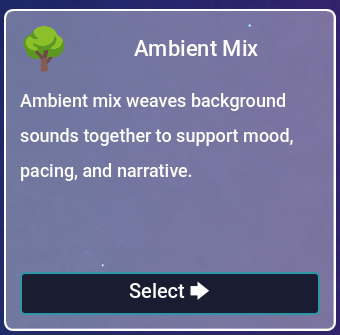
Fig. 1 - Ambient Mix.
- In the next window, fill in the all of the tracks you want. They will be played simultaniously. It is required to use at least one track.
- (Optional) If you don’t have suitable tracks, click the “Use Samples” button and choose one of the available examples. The fields above will be filled automatically with tracks included in the program.
- Click the “Create” button.
- You will be taken to the Composition view. It should look like this:
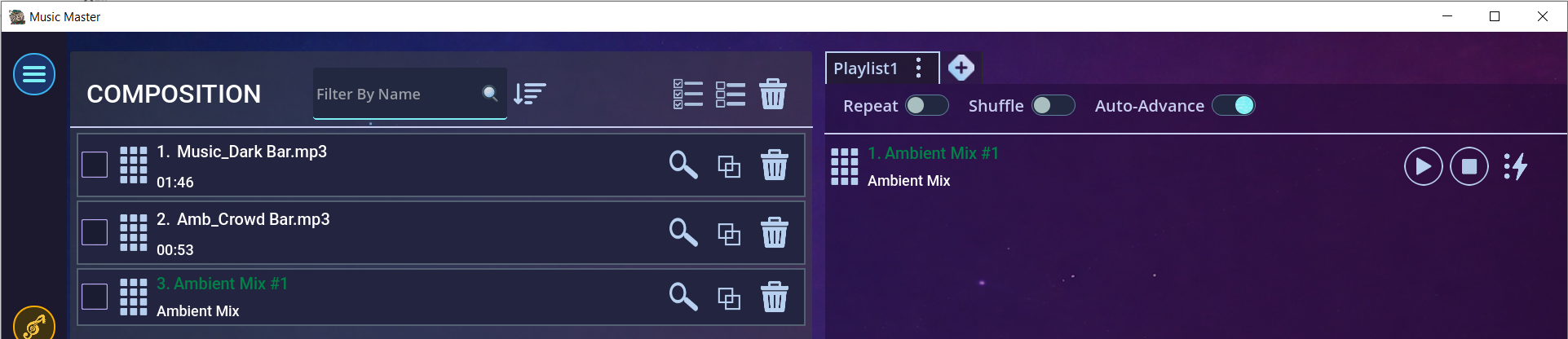
Fig. 2 - Effect in the Composition view.
- Now play the mix called “Ambient Mix #1” from the playlist by pressing the “Play” button.
- The mix will start. In the “Now Playing” view you can adjust the track volumes and set presets.
- This is how it looks in the editor:
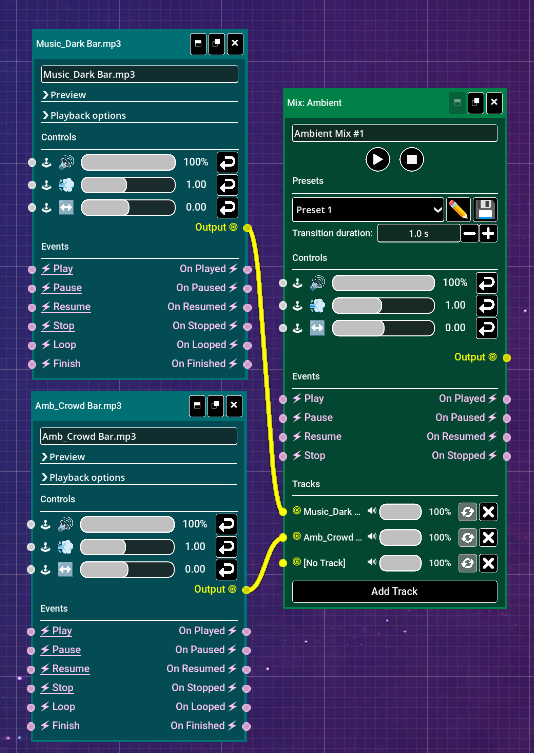
Fig. 3 - Effect in the Editor view.
- Using the editor, you can fine-tune the effect to your liking. Try experimenting!


Ready when you are
Use this and other cinematic effects with Music Master. Try it out now!