What is it?
The Shellshock Effect is a classic cinematic way to simulate disorientation and trauma. It usually follows a loud, violent event - like an explosion or crash - when the sound doesn’t cut out completely but instead becomes distant and dull, as if heard underwater. It mirrors how our ears react to extreme noise in real life, and it instantly puts the audience in the character’s head, letting them feel the confusion and fear that follows the blast.
Movie example
One of the most famous uses of this effect appears in Saving Private Ryan (1998), during the Omaha Beach landing. As Captain Miller and his men storm the shore, chaos reigns: gunfire, explosions, and screams everywhere. Then a shell detonates close to Miller, and everything changes. The sound drops to a low, muffled hum - gunshots fade to distant thumps, voices blur into echoes, and his breathing becomes the only clear noise. For a few moments, the audience shares his stunned, disoriented state before the real world crashes back in.
What to use it for?
As a Game Master, this effect is perfect for showing overwhelming moments - times when the world becomes too much to process. You can use it after a massive explosion, a powerful spell, or a shocking twist. Players will instinctively feel that something is wrong - their characters are dazed, stunned, or in shock.
After a few seconds, slowly bring the normal sound back: the voices of allies, the ringing of weapons, the crackle of fire. That gradual recovery makes the moment feel real and gives players a chance to emotionally reset before diving back into the chaos.
It’s a simple trick that turns an ordinary action scene into a cinematic experience - a reminder that even heroes can be shaken.
Do It with Music Master!
⚠️ Be careful with the ringing sound — it can be unpleasant to the ear, so it’s best to lower the volume a bit.
- From the main menu, select “Create Cinematique…”. The Cinematic Techniques Assistant window will appear.
- Choose the “Shellshock Effect” technique by clicking the “Select” button.
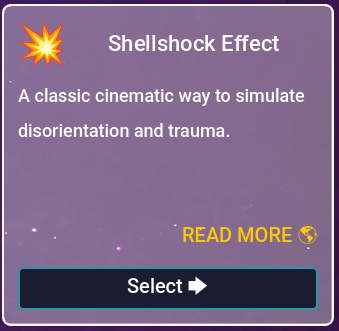
Fig. 1 – Shellshock Effect.
- In the next window, fill in the following fields:
- Backdrop track (required) – the track playing in the background during the entire scene. It will be muffled during the effect.
- Explosion track (required) – a short sound effect that triggers the transformation. Usually an explosion sound.
- Noise track (required) – a longer sound effect played while the muffling is active. Usually a ringing-in-the-ears sound.
- (Optional) If you don’t have suitable tracks, click “Use Samples” and choose one of the available examples. The fields above will be filled automatically with tracks included in the program.
- Click the “Create” button.
- You will be taken to the Composition view. It should look like this:
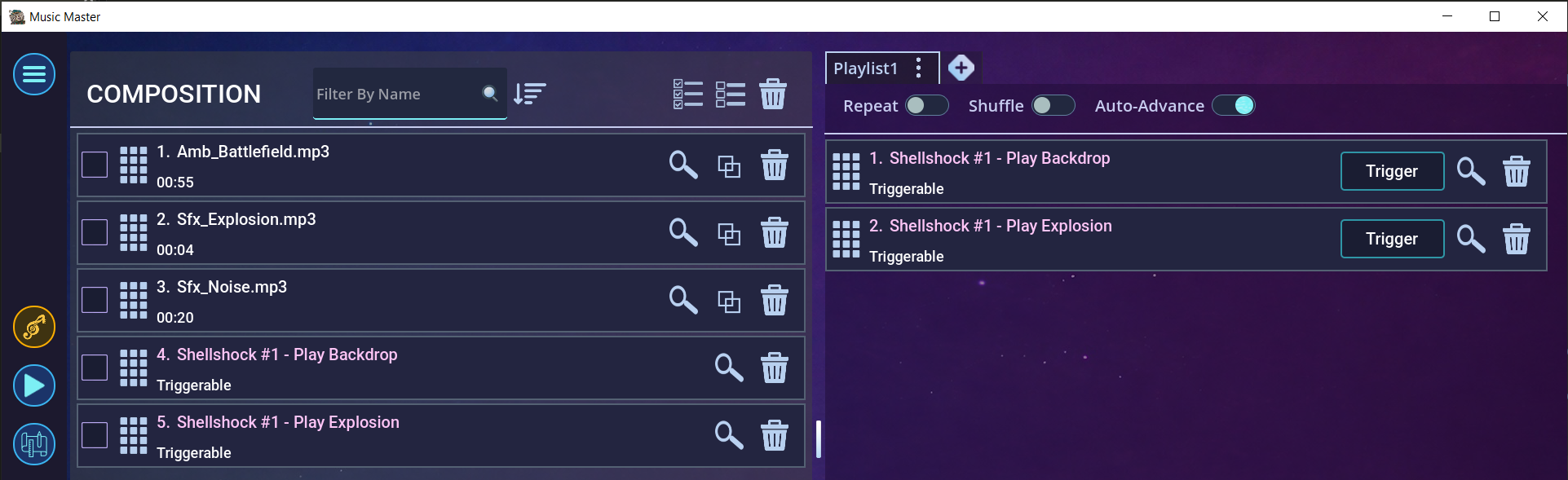
Fig. 2 – Effect in the Composition view.
- Now trigger the event “Shellshock #1 - Play Backdrop” by pressing the “Trigger” button. The background track will start playing.
- At the right moment, trigger the second event “Shellshock #1 - Play Explosion”.
The explosion sound will play, followed by the ringing noise, during which the background track will be muffled. - When the ringing sound ends, everything will return to normal.
- This is how it looks in the editor:
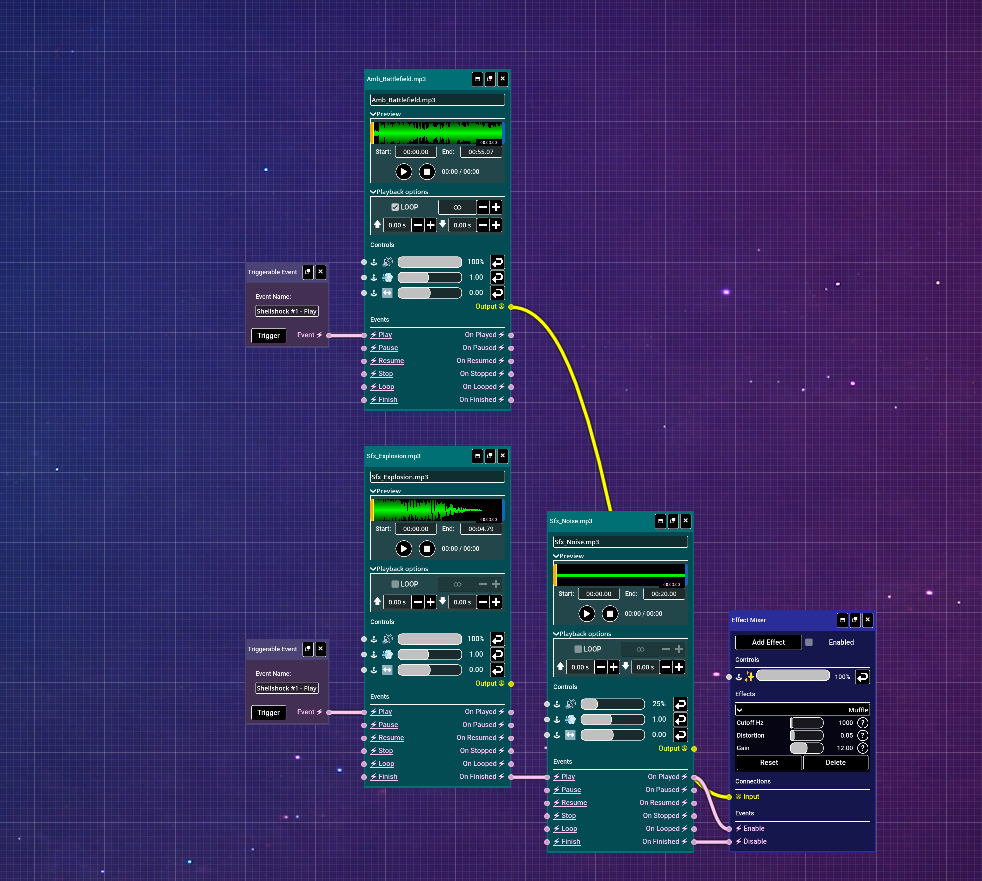
Fig. 3 – Effect in the Editor view.
- Using the editor, you can fine-tune the effect to your liking. Try experimenting!


Ready when you are
Let your players hear the world through their character’s ears - use Music Master to recreate the haunting, immersive sound of shock and survival.