What is it?
The silent aftershock is one of the most powerful tools in cinematic sound design - not because of what you hear, but because of what you can’t hear.
After an explosion, a gunshot, or a scream, the sound suddenly drops out, leaving near-total silence or muffled ringing. That brief emptiness gives the audience space to process the shock, mirroring how a character might experience disorientation or trauma. When the world finally fades back in - distant screams, wind, or debris falling - it feels raw and real.
Movie example
You can see this used brilliantly in Quentin Tarantino’s Inglourious Basterds (2009), during the Paris cinema scene. The evening begins with a glamorous movie premiere: upbeat swing music, champagne glasses clinking, and people laughing under camera flashes. It’s elegant, even joyful. But when Shosanna’s plot unfolds, the cheerful soundscape abruptly collapses. Gunshots ring out, and the music cuts mid-note. There’s a moment of eerie silence as people realize what’s happening - then chaos erupts. The audience screams, the room fills with smoke and fire, and the once-festive sound turns into pure terror.
That silence says more than any soundtrack could; it’s confusion, fear, and shock captured in sound.
What to use it for?
As a Game Master, you can use this technique to hit your players with emotional impact. When a major event happens - a devastating spell, a sudden betrayal, an explosion in the middle of the battle - cut everything!
Silence the music, stop the ambience, and let that emptiness hang for a few seconds. The contrast between chaos and nothingness will speak volumes.
After a short pause, bring back faint sounds - echoing wind, flickering fire, or a low drone - to rebuild the mood and show that the world is still standing, even if it’s changed. The silence acts as a reset button for emotion, letting the players feel the gravity of what just happened.
It’s not just quiet; it’s storytelling through absence.
Do It with Music Master!
- From the main menu, select “Create Cinematique…”. The Cinematic Techniques Assistant window will appear.
- Choose the “Silent Aftershock” technique by clicking the “Select” button.
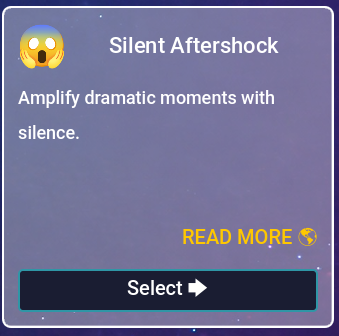
Fig. 1 – Silent Aftershock.
- In the next window, fill in the following fields:
- Backdrop track (required) – the first track that will play in the background. Usually something calm or cheerful.
- Trigger track (required) – a sound effect that triggers the silence, e.g., gunshots.
- After event 1 (required) – the main track that will play after the silence. Typically action music.
- Silence (seconds) – set the duration of the silence in seconds.
- After event 2 – another track (optional) that will play after the silence, e.g., crowd screams.
- After event 3 – an additional track (optional) that will play after the silence.
- (Optional) If you don’t have suitable tracks, click the “Use Samples” button and choose one of the available examples. The fields above will be filled automatically with tracks included in the program.
- Click the “Create” button.
- You will be taken to the Composition view. It should look like this:
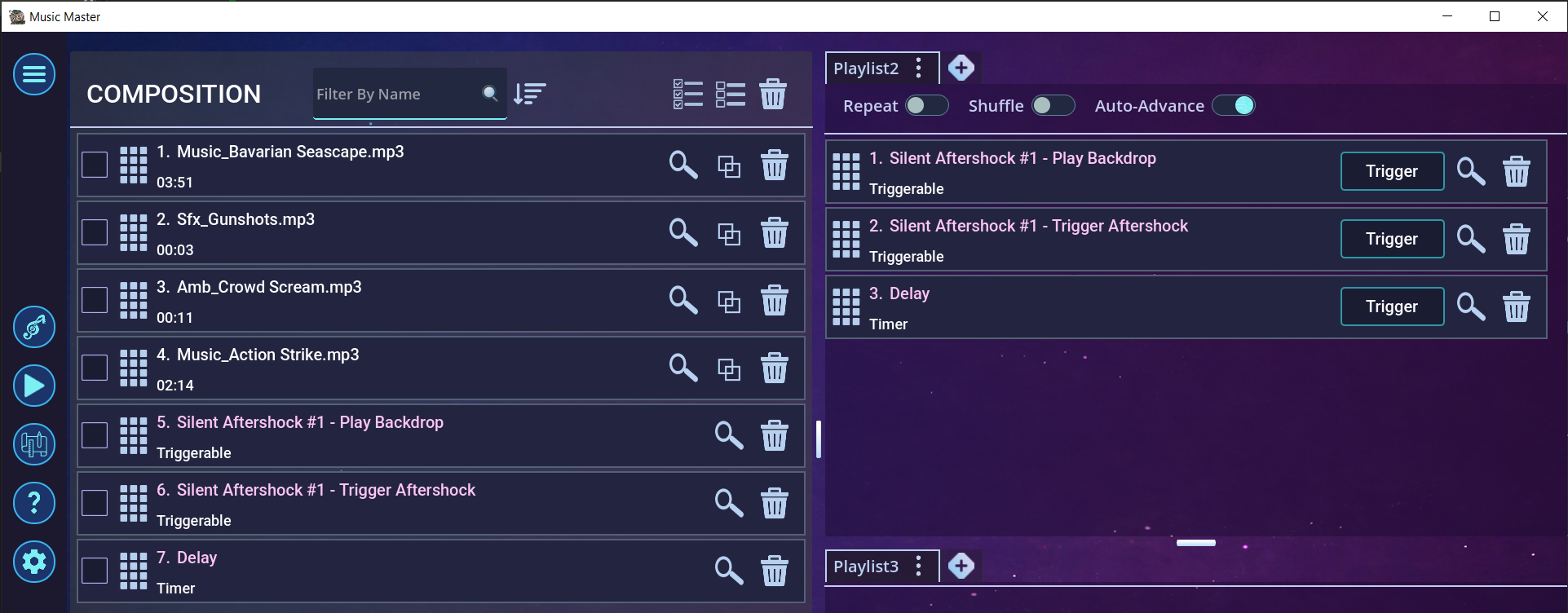
Fig. 2 – Effect in the Composition view.
- Now trigger the event “Silent Aftershock #1 - Play Backdrop” by pressing the “Trigger” button. The background track will begin playing.
- At the right moment, trigger the second event “Silent Aftershock #1 - Trigger Aftershock”. The gunshot sound will play, followed by silence…
- After a short silence, all remaining tracks will play — for example, crowd screams and action music.
- This is how it looks in the editor:
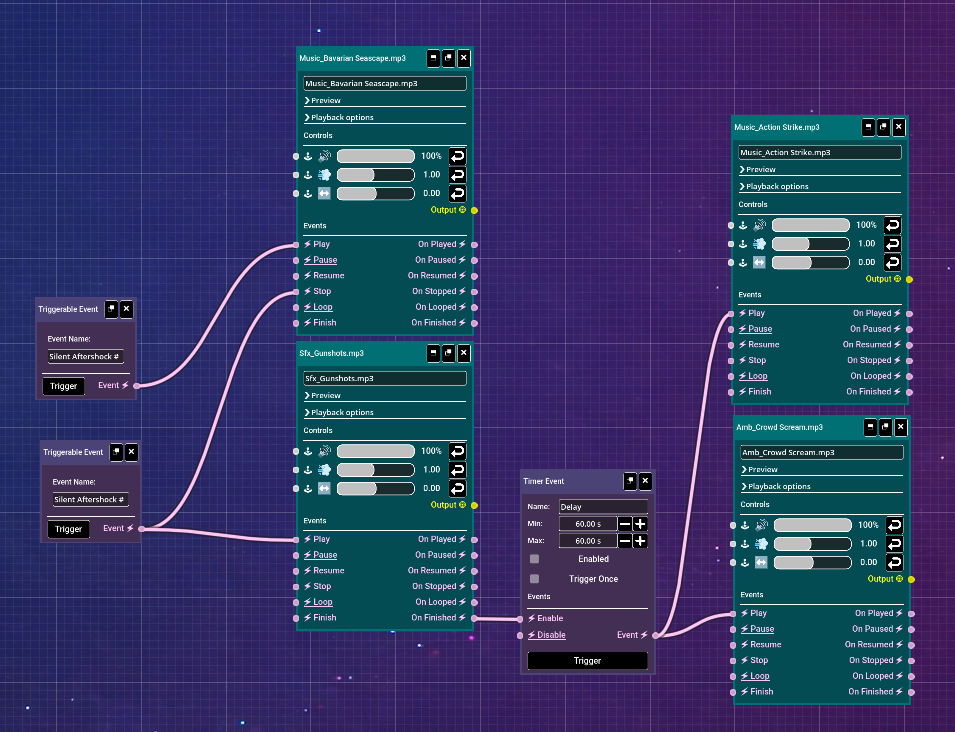
Fig. 3 – Effect in the Editor view.
- Using the editor, you can fine-tune the effect to your liking. Try experimenting!


Ready when you are
Master the art of emotional impact and use it during your next session - sometimes the most powerful soundtrack is silence.